Video calls for music lessonsiPhone / iPadOn the App StoreFree trial

Smoother music lessons
with Remosse.

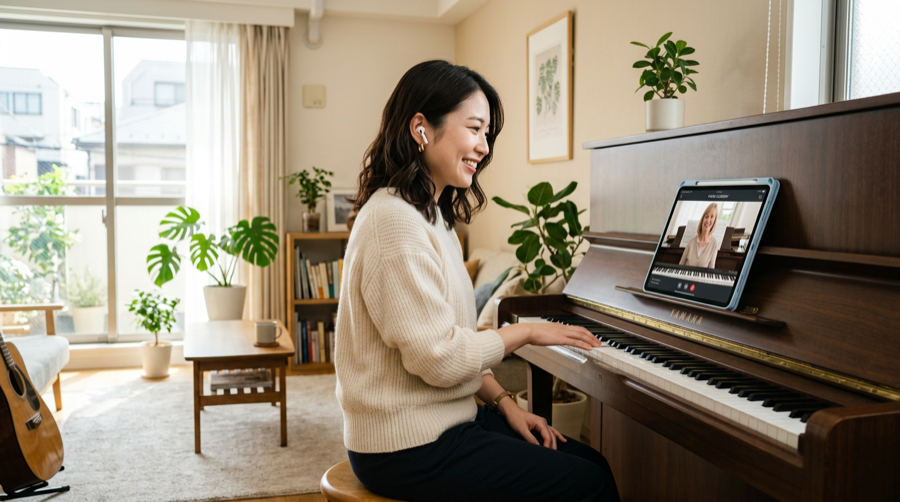
Remosse is a video calling app built for online music lessons. It delivers instruments and instruction more clearly than typical consumer video chat.

Designed for piano, guitar, vocals, and more—with quality and low latency in mind. Guests join via QR code; hosts manage lessons and remaining time in one app.

Clearer sound

Audio tuned so instruments and conversation come through for lessons.

Easy for students

Join from a QR code or invite link—no account required to enter.

Simple for hosts

See issued lessons and remaining quota in one place.

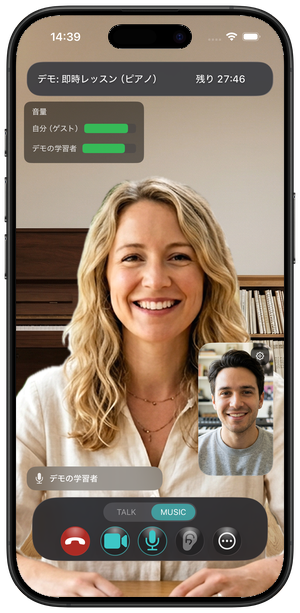
Remosse 1:1 lesson call on iPhone (screenshot)

Built for teachers and students to get started easily

Less prep for hosts, simpler joining for guests—we aim to reduce the friction common in online music lessons.

Teachers & hosts

Spend less time on setup and more time teaching.

  • Guide students with a QR code or invite URL instead of juggling meeting IDs every time.
  • Call quality is aimed at music lessons, so you spend less time tweaking generic meeting-app settings.
  • Keep lessons and remaining quota organized in the app for a clearer weekly workflow.
Students & guests

Easier to join—and easier to hear the lesson.

  • No account signup: join from the QR code or link your teacher sends.
  • Join from home or your practice space and save travel time for more playing.
  • Audio is tuned so both playing and conversation come through—fewer “I can’t hear you online” moments.

Four steps: simple for hosts, easy for guests

Guests need no account—scan a QR to join. Hosts go from issuing a code to inviting in a few taps. Hosts who issue QR codes sign in with an Apple account.

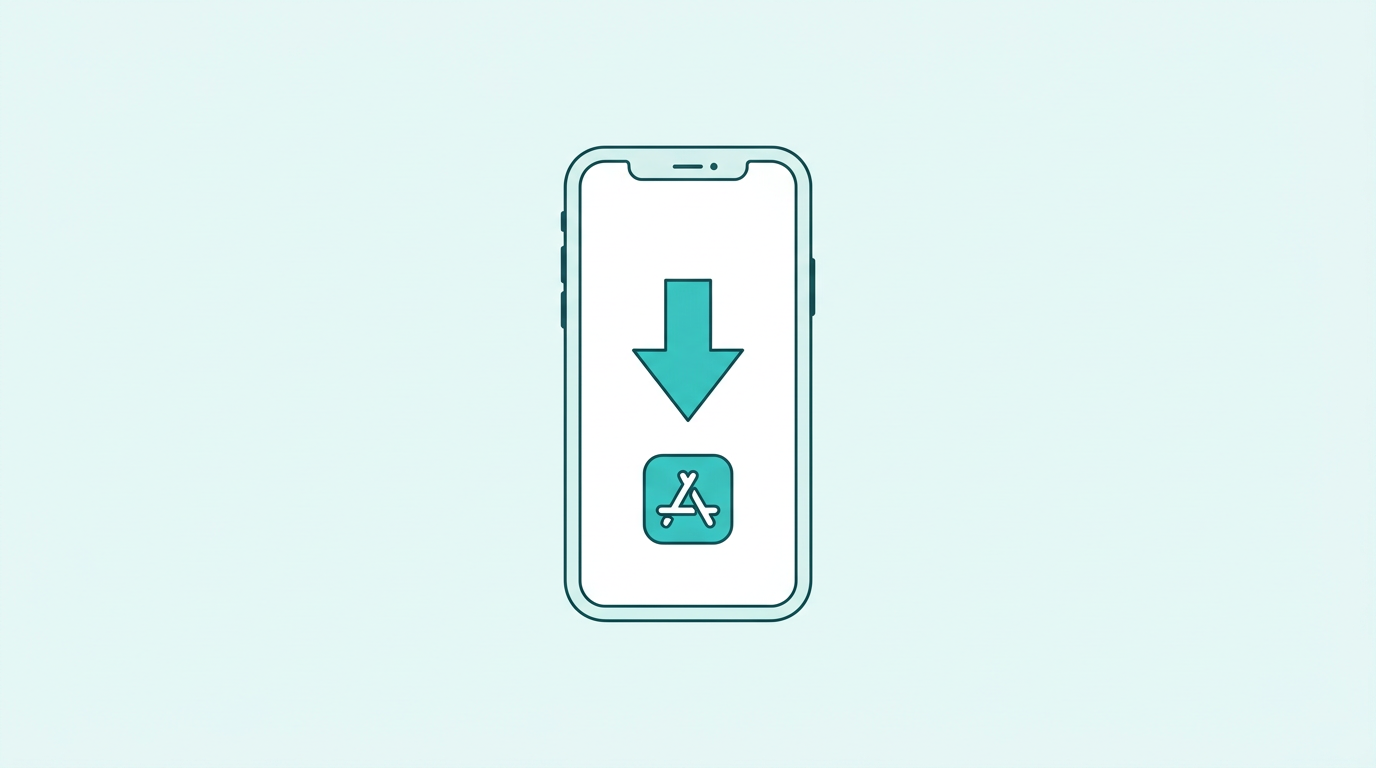
Download Remosse from the App Store
1

Download the app

Hosts and guests install from the App Store. Hosts sign in with an Apple account.

Host issues a lesson QR code
2

Host issues a QR code

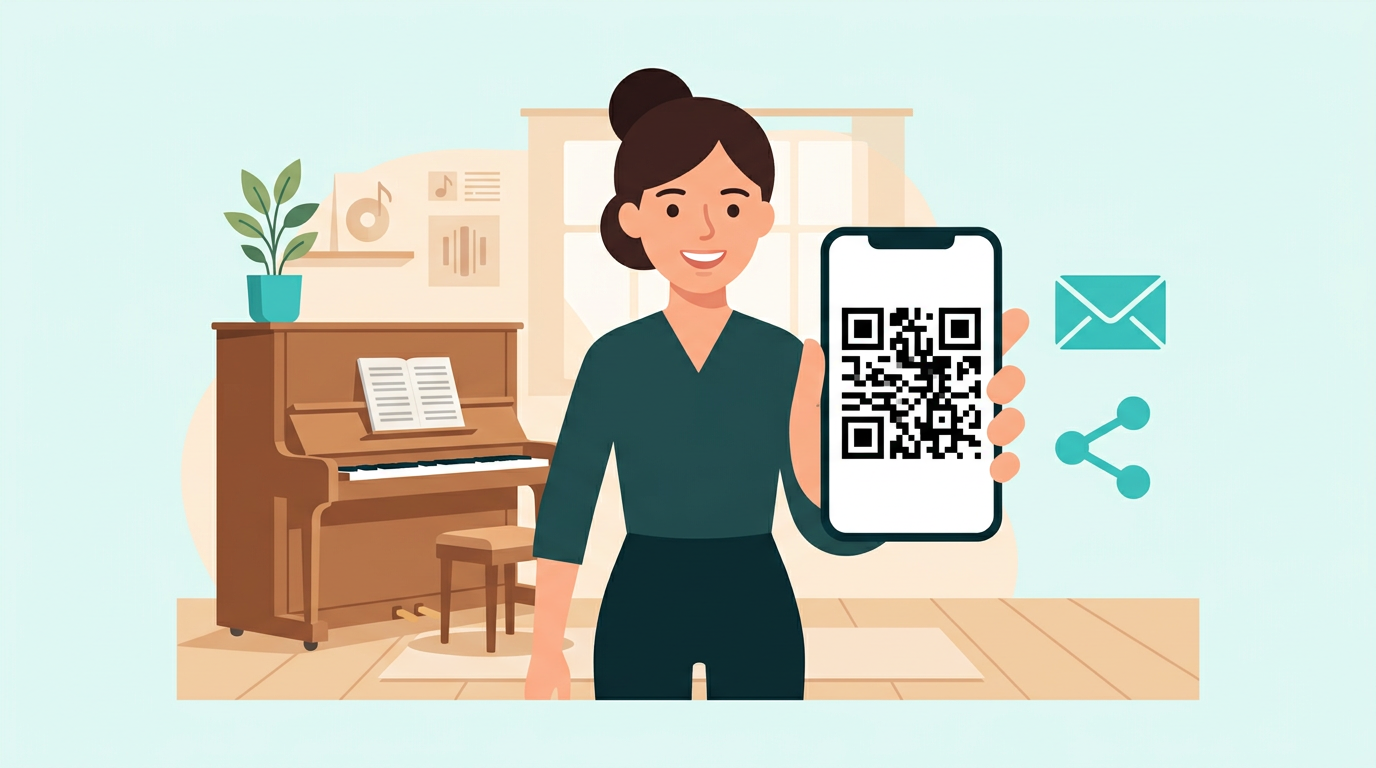
On paid plans, pick a duration (15–180 minutes). Issue a QR in one tap and share it by message or email.

Guest scans the QR code
3

Guest scans the QR

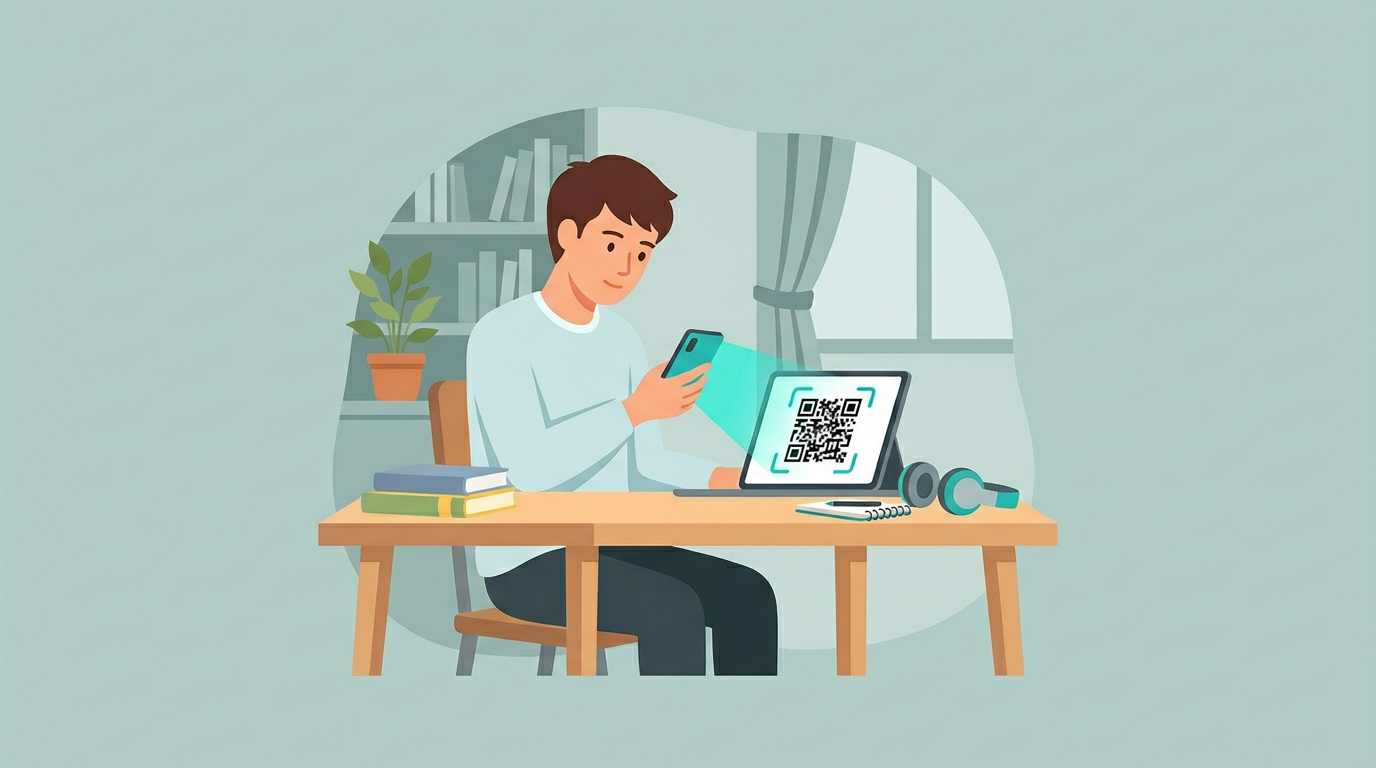
No signup. Scan in the app or tap the invite link.

1:1 video lesson in progress
4

Start the lesson

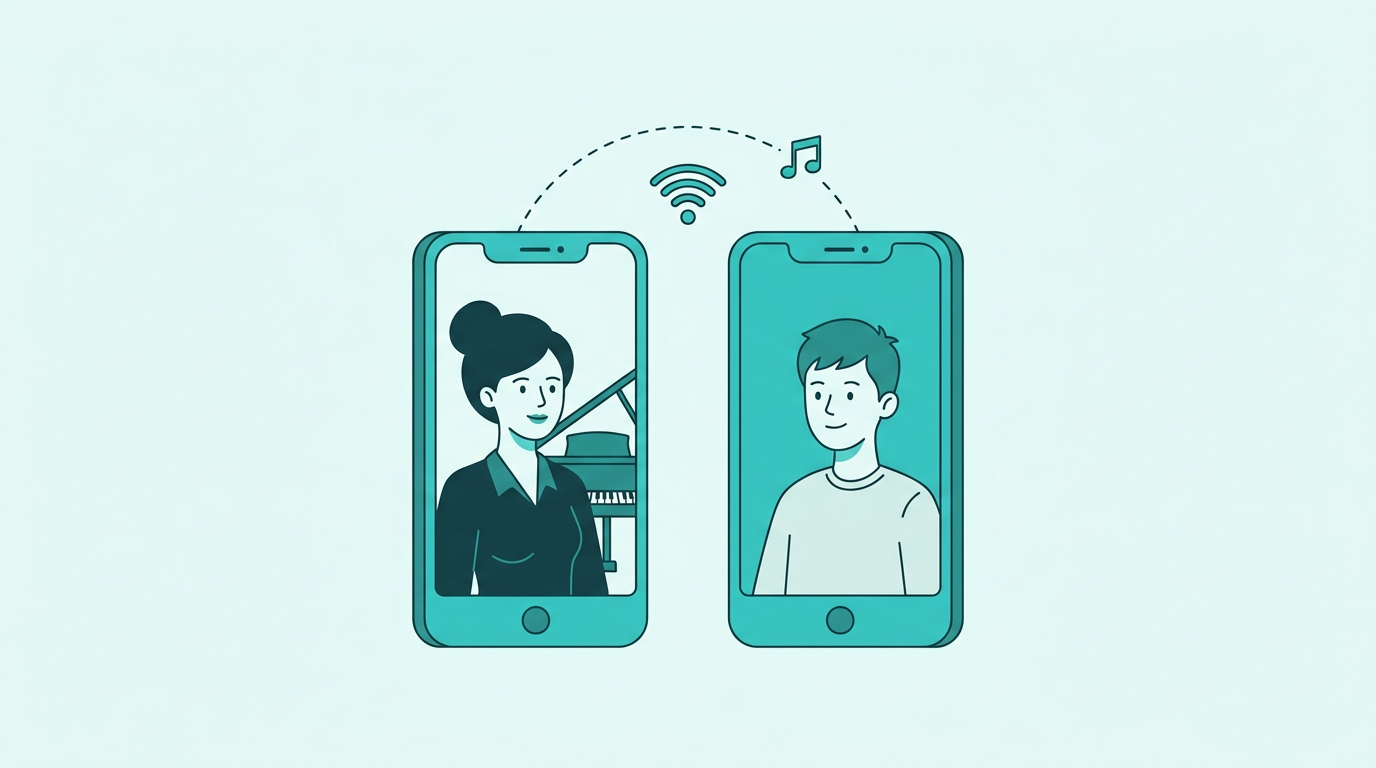
1:1 video with audio tuned for playing and conversation.

Key app screens

Real iPhone screenshots (UI at time of capture). Displays may change with app updates.

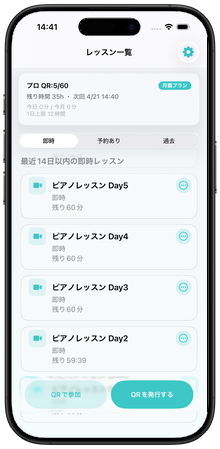
  • Lesson list (instant, scheduled, history tabs)
    Lesson list Instant lessons, scheduled lessons, and history in one list.
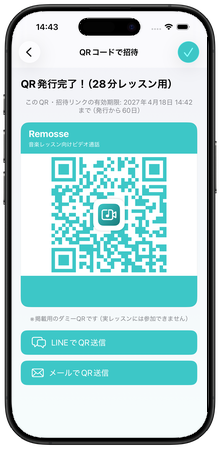
  • QR invite issuance screen
    QR invite The host issues a QR code; the guest scans to join.
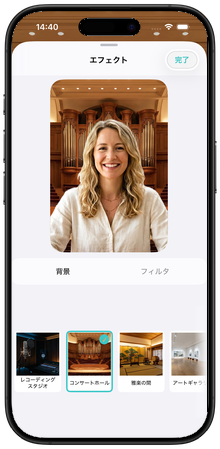
  • Virtual background and filters
    Background & filters Virtual backgrounds and beauty filters (availability varies by plan).
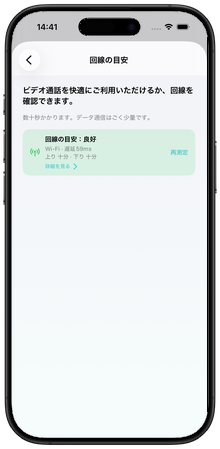
  • Pre-call network check
    Network check Check your connection before you join.
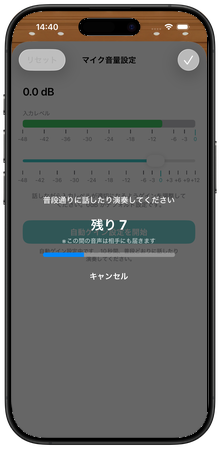
  • Microphone level adjustment
    Mic levels Balance playing and speaking with mic controls.

Ever struggle with generic video chatfor music lessons?

  • Instrument sound cuts in and out
  • Noise cancellation eats your playing
  • Hard to keep lesson flow organized
  • Scheduling and invites feel clunky

Remosse is built to help

High-quality, low-latency calls

Tuned for lessons so harmonics and dynamics are less likely to break up—clear voice and instrument together.

One app from invite to call

Issue a QR and bring guests in without hunting for a new meeting URL every time—shorter prep.

Keep lessons organized

Manage issued lessons in a list with schedule and remaining quota. Event text is ready to paste into calendar apps.

Audio tuned for music lessons Beauty filters (plan-dependent) Virtual backgrounds (10 / 20 images by plan) 1:1 video only Instant join via QR

Pricing

Start with the free trial. Afterward, pick one of four plans to match how often you teach.

QR issuances and call quotas reset each App Store subscription period (usually monthly).

Free trial — sign in with an Apple account

Up to 14 days 3 hours of calls total 4 QR issuances No credit card
Try for free

After trial, choose a plan

Easy for solo teachers

A few online lessons a month? Starter is a simple entry point.

Standard for steady teaching

Our go-to plan when you teach online on a regular schedule.

Pro for busy studios

Higher caps when you run many lessons or longer days.

Starter

¥980/mo

Hosts starting with occasional online lessons

  • Up to 6 QR issuances per billing cycle
  • 4 hours total call time per cycle
  • Host daily cap: 2 hours
  • Beauty filters (none + 5 basics), 10 backgrounds + none & blur

Basic

¥1,980/mo

Growing lesson volume for individuals or small studios

  • Up to 15 QR issuances per cycle
  • 10 hours total call time per cycle
  • Host daily cap: 3 hours
  • Beauty filters (none + 5 basics), 10 backgrounds + none & blur
Popular

Standard

¥2,980/mo

Best when you teach online every week

  • Up to 30 QR issuances per cycle
  • 20 hours total call time per cycle
  • Host daily cap: 6 hours
  • 20 beauty filters, 20 backgrounds + none & blur

Pro

¥4,980/mo

High-volume hosts who need the largest quotas

  • Up to 60 QR issuances per cycle
  • 40 hours total call time per cycle
  • Host daily cap: 12 hours
  • Same beauty & background range as Standard

Prices include tax as shown in the App Store. On paid plans you choose lesson length (15–180 minutes) when issuing a QR; time is drawn from your cycle pool. See Settings → Remosse plan in the app for full details.

After the free trial (4 QR issuances, 3 hours total, up to 14 days), continue with a paid plan.

FAQ

Common questions about usage, pricing, and supported devices.

How do I join a lesson?

Scan the host’s QR code in the app or open the invite URL (remosse://join…). You’ll confirm camera and microphone first. While the code is valid, you can rejoin with the same QR.

Can I use it for free?

Sign in with an Apple account for a trial: 4 QR issuances, 3 hours of calls total, up to 14 days. Unlimited number of calls within that allowance. Then pick a paid plan (Starter / Basic / Standard / Pro). See Settings → Remosse plan for pricing and quotas.

Do guests pay?

The host uses a Remosse paid plan or trial. Guests install the app and join via QR or URL at no extra charge.

Which devices are supported?

iPhone and iPad only today. Windows and Android are not supported yet.

View all FAQ

Before you get started

A quick overview for teachers evaluating Remosse for the first time.

When Remosse fits well

A strong match when you care about both clear audio for music and low-friction joining for students.

  • Piano, guitar, voice—lessons where you need playing and speaking to both come through
  • You want less back-and-forth on links and IDs before every lesson
  • Solo teachers through small studios running online lessons regularly

Good to know upfront

A few facts that tend to reduce surprises when you try something new.

  • Guests join with a QR code or URL—no guest account required.
  • iPhone and iPad only for now; hosts can start from the free trial.
  • Terms and support: FAQ and contact are one tap away.

Try Remosse today

Download free on the App Store. Sign in with an Apple account to start the free trial right away.

Download on the App Store

iPhone & iPad · Free trial

Questions or feedback? Use the contact form.

About the developer: STONEHASH SOLUTION .

Technology

Remosse combines real-time stacks (WebRTC and specialized SDKs) to keep instrument audio from dropping out mid-phrase.

Consumer noise suppression and echo cancellation can eat musical content—we tune and test settings suited to lessons, not just meetings.